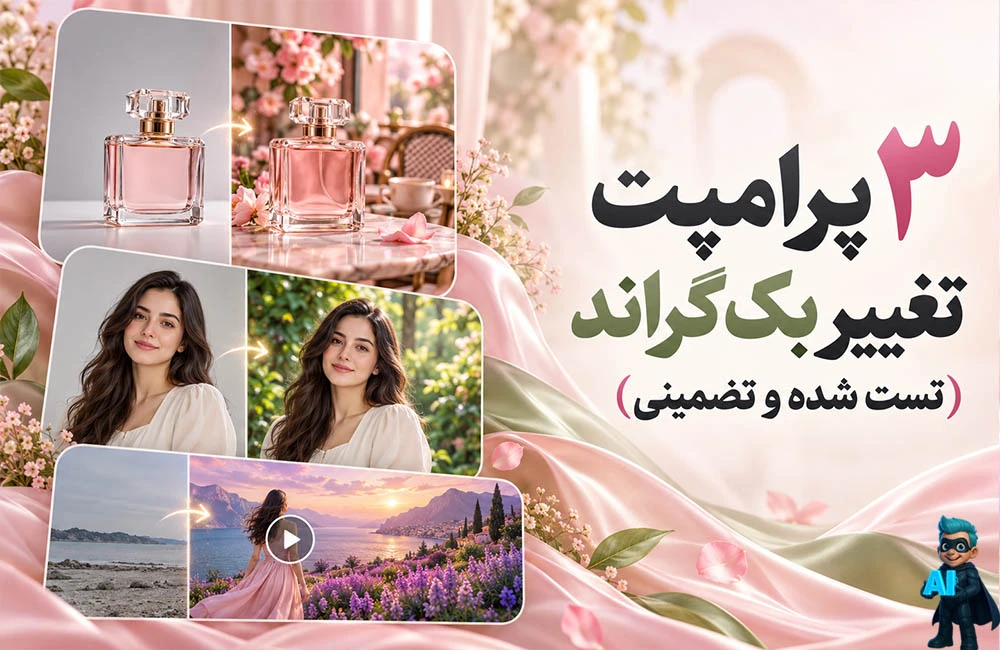
3 پرامپت تغییر بک گراند (تست شده و تضمینی)
توی این مقاله 3 تا پرامپت خفن تغییر بکگراند براتون آماده کردم از دستش نده.
با یک پرامپت تغییر بک گراند عکس میتونین از هوش مصنوعی بخوایین پسزمینه تصویرتون رو عوض کنه؛ مثلاً محصولتون رو داخل یک کافه با تم صورتی قرار بده یا پسزمینه عکس شخصیتون رو به یک جنگل سرسبز تبدیل کنه. اما چالش اصلی اینه که موقع تغییر پسزمینه، چهره و ظاهر فرد یا جزئیات محصول هم تغییر نکنه.
توی این مقاله از دیکاردو، سه پرامپت آماده برای تغییر پسزمینه با هوش مصنوعی آوردهایم: برای عکس محصول، عکس شخصیتون و ویدیو. این پرامپتها روی حفظ سوژه اصلی تأکید دارن و مشخص میکنن که فقط بکگراند ویرایش بشه. نمونههای قبل و بعد رو هم میتونین ببینین تا نتیجه رو بهتر مقایسه کنین.
برای استفاده، عکستون رو داخل اکانت ChatGPT و ویدیوتون رو داخل هوش مصنوعی مورد نظرتون بزارین و پرامپت مربوط به اون رو کپی کنین. بعد متن داخل کروشه [ ] رو با توضیح پسزمینه دلخواهتون جایگزین کنین؛ مثلاً «یک کافه با تم صورتی و نور طبیعی».
هرچقدر محیط دلخواهتون رو دقیقتر توصیف کنین، درخواستتون روشنتر میشه. حفظ کامل جزئیات هم به ابزار انتخابی بستگی داره؛ پس بعد از ویرایش، چهره، لبههای سوژه و نوشتههای محصول رو بررسی کنین.
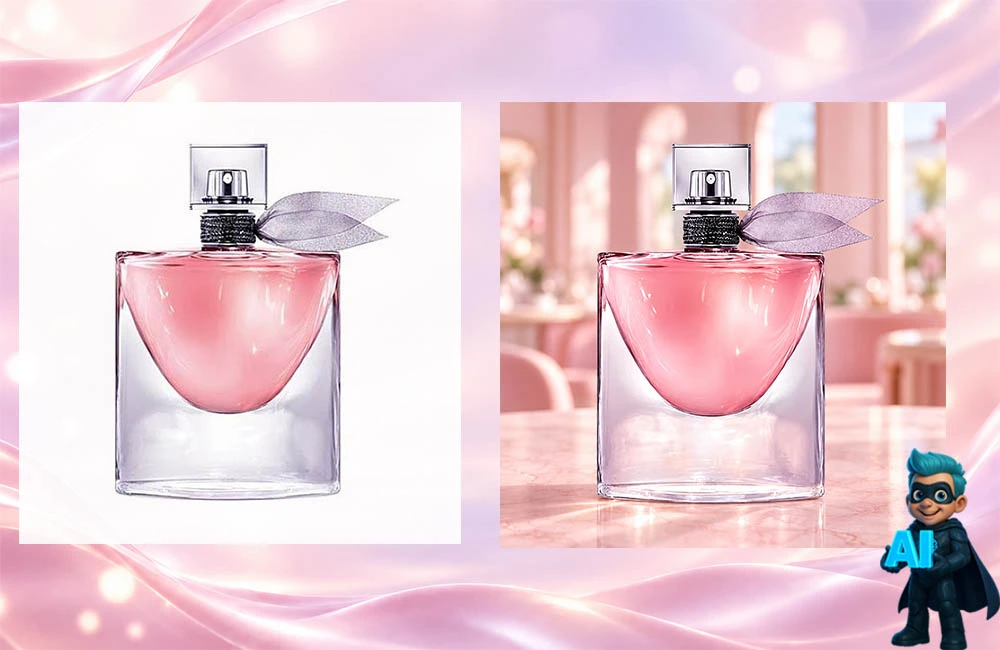
تغییر بک گراند عکس فروشگاهی و محصول
Use the uploaded product photo as the exact source image.
Replace ONLY the background with: [an elegant, softly blurred beige studio background with a natural travertine surface and gentle daylight].
Create a realistic, professional product photograph suitable for an online store or advertising campaign. Keep the background tasteful and uncluttered so the product remains the main focus.
PRODUCT PRESERVATION — CRITICAL:
Treat the entire product as a protected, uneditable area. Preserve its original shape, proportions, color, material, texture, packaging, logo, labels, printed text, and every visible detail exactly as shown.
Do NOT redraw, regenerate, redesign, retouch, recolor, enhance, or replace the product. Do not correct or rewrite any text on the packaging. Preserve the original lighting, highlights, and reflections on the product.
EDITING:
Change only the area outside the product’s silhouette. Use precise, clean edges without halos. Match the new background’s lighting and camera perspective to the existing product. If the product rests on a surface, add only a subtle, realistic contact shadow outside its silhouette.
COMPOSITION:
Keep the original image dimensions, camera angle, product placement, scale, and orientation. Do not crop or resize the product. Keep the product fully visible.
Do not add props, decorations, promotional text, watermarks, or extra products.
The final result should look like the original product photographed in the new setting, with only the background changed.
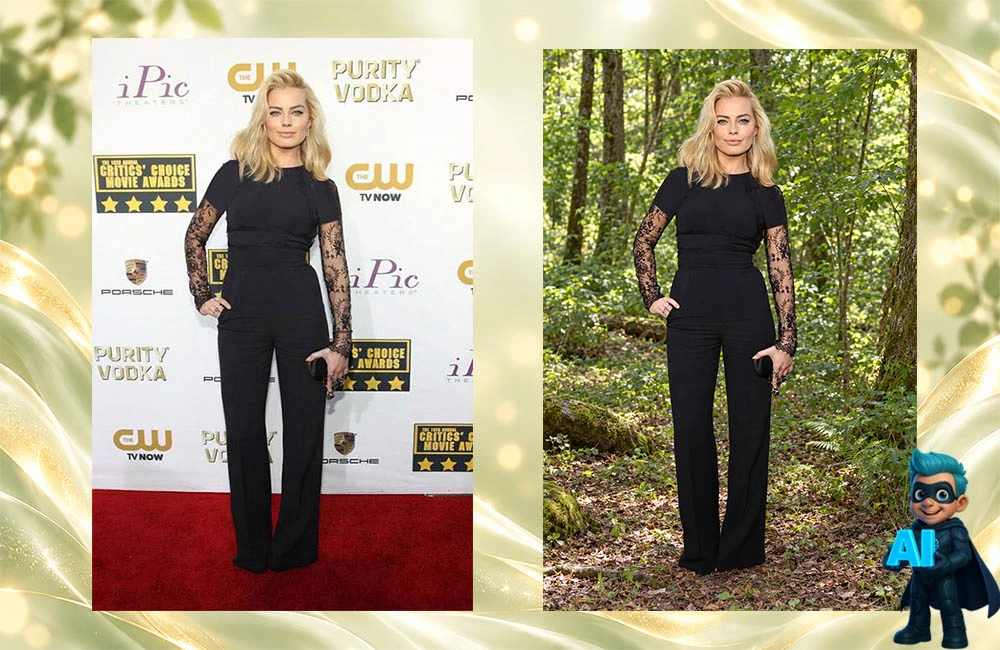
تغییر بک گراند عکس شخصی
Edit the uploaded photo by changing ONLY the background to: [Lush green forest].
Preserve the person exactly as they appear in the original photo. Keep their face, identity, facial features, expression, skin tone, skin texture, hair, body shape, pose, clothing, accessories, and every visible detail unchanged.
Do NOT redraw, regenerate, retouch, beautify, or modify the person. Do NOT change their age, facial proportions, makeup, eye color, hairstyle, or clothing. Preserve the original lighting and colors on the person.
Treat the entire person as a protected, uneditable area. Edit only the background outside their silhouette, with precise edges around the hair and clothing.
Keep the original framing, camera angle, image dimensions, and subject placement. Do not crop or resize the person. Match the new background’s perspective and lighting to the existing subject.
The final result must look like the exact original photo of the same person, with only the background replaced.
تغییر بک گراند ویدیو
Edit the uploaded video by replacing ONLY the background with: [your desired background].
Use the original video as the exact source footage. Protect all foreground subjects and preserve them unchanged in every frame.
Keep each person’s face, identity, expression, skin tone, skin texture, hair, body shape, clothing, and accessories exactly as recorded. For products, preserve their shape, color, material, texture, logos, labels, and printed text.
Do NOT redraw, regenerate, beautify, retouch, recolor, or relight the subjects. Preserve all original movements, gestures, lip movements, and timing.
Replace only the background outside the subjects’ silhouettes. Use precise, temporally consistent masking around hair, hands, clothing, and fine details. Preserve natural motion blur and correctly replace background visible through gaps between limbs.
Match the new background’s perspective, lighting, scale, and depth of field to the original footage. Track the original camera movement so the background moves naturally with correct perspective and parallax. Keep it stable when the camera is stationary.
Maintain the same environment throughout the video. No flickering, jitter, edge halos, background drifting, subject distortion, or sudden changes in lighting.
Keep the original duration, resolution, aspect ratio, frame rate, framing, and camera movement. Do not crop, zoom, change playback speed, or reposition the subjects.
Preserve the original audio exactly. Do not add music, speech, or sound effects.
Do not add extra people, products, props, text, or watermarks.
The final result should look like the original video filmed in the new environment, with only the background replaced.
فقط نکته مهم اینه که توی ادیت ویدئوها ممکنه زاویه سوژتون رو تغییر بده یا عناصری رو که دوست ندارین رو به مقالتون اضافه کنه.
و در نهایت اگه به ادیت عکس علاقه داری میتونی مقاله صد دستور خفن برای ادیت عکس با ChatGPT رو بخونی و ازش استفاده کنی.